Viewsonic – Personal Workspace Creating smarter, more connected workspaces for modern business

Viewsonic - Personal Workspace Creating smarter, more connected workspaces for modern business

The Personal Workspace Has Become a Business Priority

The workplace has changed significantly. Employees may spend part of the week in a corporate office, work remotely on other days, move between shared desks, or connect from a client location. This flexibility creates an important technology challenge: wherever people work, they still need a reliable, comfortable and productive desktop experience.

A personal workspace is no longer simply a laptop connected to a basic monitor. The modern desk is an ecosystem that can include a display, laptop power, wired networking, USB peripherals, collaboration tools and multiple applications running at the same time. When these components are poorly integrated, users face cable clutter, extra adapters, inconsistent setups and unnecessary friction every time they sit down to work.

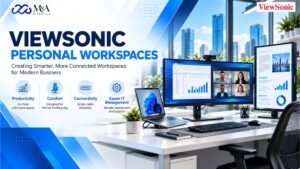
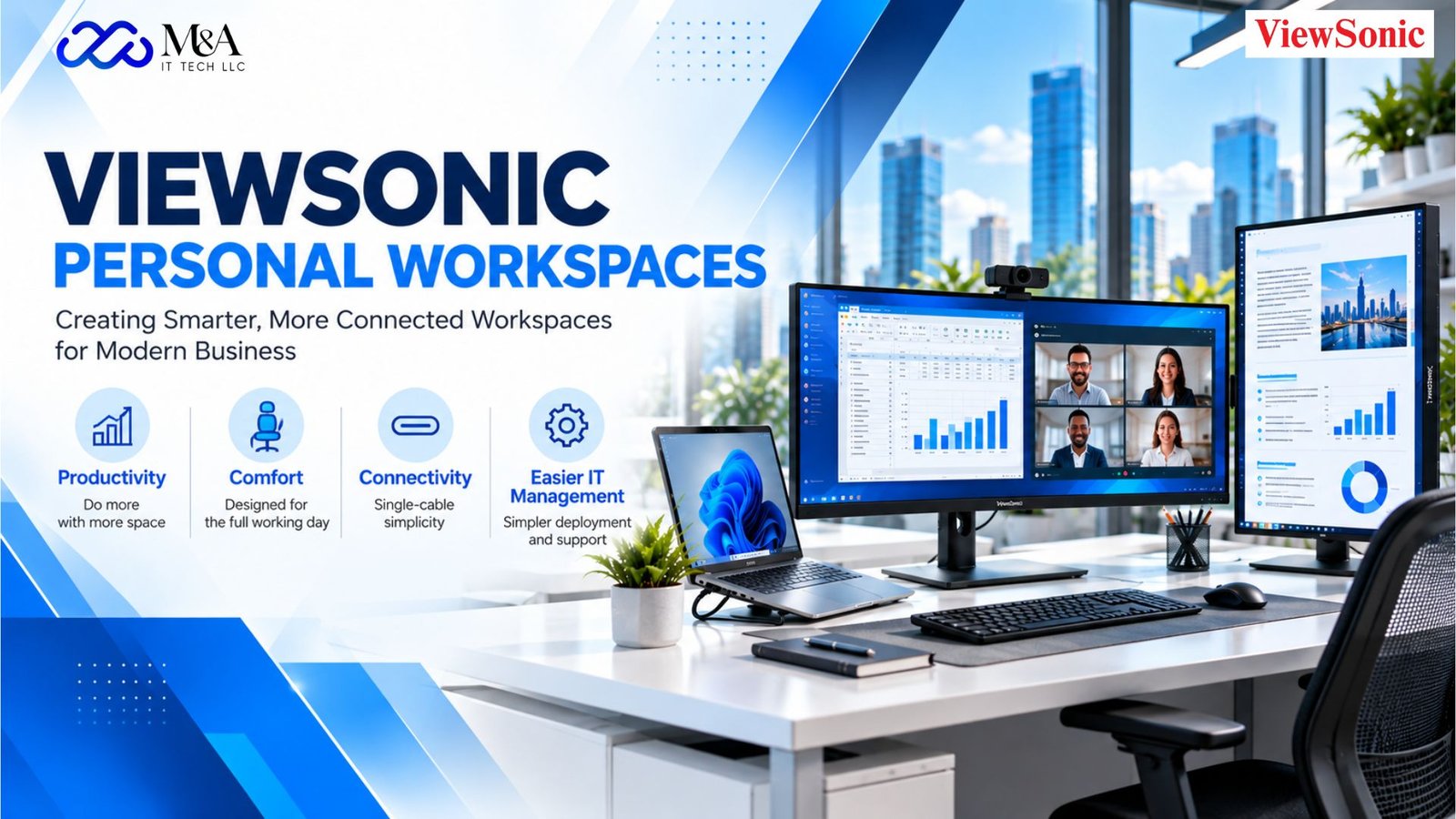
ViewSonic Personal Workspace Solutions are designed around the needs of these changing work environments. ViewSonic highlights productivity, comfort and easier IT management as core goals, with business displays spanning multiple sizes and resolutions and connectivity options such as USB-C and Thunderbolt. For organizations planning new offices, hybrid-work programs or workstation refreshes, this approach can help create a more consistent experience from one desk to another.

Why Workspace Design Matters for Productivity

Small improvements at the desk can have a meaningful effect on the way employees work throughout the day. A larger or higher-resolution display can provide more room for spreadsheets, dashboards, documents and communication tools. A properly positioned monitor can make long sessions more comfortable. A single USB-C connection can reduce the number of steps required to connect a laptop each morning.

The objective is not to add technology for its own sake. A well-designed workspace removes unnecessary complexity. Employees should be able to arrive, connect and begin working with minimal setup. For IT teams, the same principle applies at scale: standardized monitor platforms and repeatable configurations can make deployment, support and future refresh projects easier to manage.

ViewSonic’s Personal Workspace portfolio supports configurations ranging from compact 24-inch desks to larger QHD, 4K, ultrawide and multi-monitor environments. That range allows organizations to align workspace hardware with job requirements rather than forcing every role into one identical setup.

Single-Cable Connectivity: A Simpler Way to Work

One of the most useful developments in modern business monitors is USB-C connectivity. On compatible ViewSonic docking monitors, a single USB-C cable can carry display signals and data while also delivering power to a connected laptop. Selected models add integrated Ethernet and USB hubs, allowing the monitor to become a central connection point for the workstation.

This matters in hybrid environments because employees frequently connect and disconnect laptops. Instead of attaching a charger, display cable, network cable and separate dock, an appropriate USB-C docking monitor can consolidate several functions. The result is a cleaner desk and a faster transition from mobile work to a full desktop environment.

For organizations, integrated docking may also reduce dependence on separate docking hardware in suitable deployments. Requirements should always be checked against the laptop model, charging needs, network policy and peripheral configuration, but the overall concept is straightforward: fewer separate components can mean a simpler workstation.

Ergonomics for the Full Working Day

Productivity is not only about screen size and connectivity. Employees may spend many hours looking at their displays, so positioning and viewing comfort deserve attention. ViewSonic business monitors include ergonomic options with height adjustment, tilt, swivel and pivot, depending on the model.

These adjustments allow users to position the screen around their desk layout and preferred posture. Portrait orientation can also be useful for long documents, coding, web content or communication workflows, while height and tilt adjustments help users place the display at a more comfortable viewing angle.

Selected ViewSonic models also incorporate Flicker-Free technology and Blue Light Filter features. These features do not replace good workplace habits, appropriate lighting or regular breaks, but they form part of a display design intended for extended professional use.

More Screen Space for Multitasking

Many business roles now involve several applications at once. A finance professional may compare a spreadsheet with a reporting dashboard. A manager may keep email, project management and video collaboration tools visible simultaneously. A sales or customer-service employee may need a CRM, browser and communications window open throughout the day.

This is where resolution and screen configuration become important. Full HD remains practical for many standard office tasks, while QHD provides additional pixel space for users who want more information visible on a 27-inch display. Larger 4K and ultrawide options can serve roles that benefit from even greater workspace. Dual-monitor configurations remain valuable when users need to separate applications across dedicated screens.

ViewSonic also supports daisy-chain functionality on selected business displays. With compatible hardware, this can simplify multi-monitor connectivity and help reduce cable complexity compared with individually connecting every display to the laptop.

Personal Workspace Solutions for Different Work Environments

Executive offices often benefit from larger or ultrawide displays that provide room for reports, communication and multiple projects. Open-plan offices require flexible, standardized workstations that different employees can use without complicated setup. Home offices benefit from docking monitors that reduce clutter and create a more permanent professional workstation around a laptop.

Remote and mobile professionals may require a different balance, prioritizing compact equipment and easy connection. Creative studios and content teams may place greater emphasis on color accuracy and resolution. ViewSonic’s portfolio addresses these different scenarios through business, docking, portable and ColorPro display families.

The important point is that “personal workspace” does not mean one universal configuration. It means building a workspace around the work being performed while maintaining sensible standards for connectivity, manageability and support.

Benefits for IT Teams and Business Deployments

When an organization buys displays for dozens or hundreds of users, deployment details matter. Quick installation, consistent connectivity, cable management and standardized hardware can influence the time required to prepare and support each workstation.

ViewSonic positions its business workspace solutions around easier IT management as well as end-user productivity. Selected docking models include quick-release stands, integrated Ethernet, USB hubs and DisplayPort output. These capabilities can help IT teams build repeatable workstation designs and reduce the number of independent devices on the desk.

Total cost of ownership should therefore be considered beyond the initial monitor price. Organizations may evaluate deployment time, required adapters or docks, warranty coverage, energy characteristics, expected service life and the ability to reuse a standard configuration across multiple teams.

Explore M&A IT TECH LLC’s IT Hardware Solutions

Featured ViewSonic Products for Professional Workspaces

The following three ViewSonic models illustrate how different display configurations can support different professional requirements.

ViewSonic TD1656-2K – 16-inch WQXGA 1600p IPS Touchscreen Portable Monitor

The ViewSonic TD1656-2K is a strong fit for mobile professionals and hybrid workers who need extra screen space beyond a laptop. This compact 16-inch portable monitor combines a high-resolution 2K display with touch capability and USB-C connectivity, making it practical for presentations, analysis, creative work and productivity away from a permanent desk.

Its portable form factor makes it especially relevant to flexible work environments, client visits and temporary workspaces. M&A IT TECH LLC lists the TD1656-2K as an in-stock ViewSonic display, giving businesses a practical option for extending a laptop workspace while maintaining mobility.

View Product on M&A IT TECH LLC →

ViewSonic LDM136-151 – 136-inch All-in-One Direct View LED Display

For organizations extending the workspace concept into executive meeting rooms and collaborative environments, the ViewSonic LDM136-151 provides a large 136-inch All-in-One Direct View LED canvas. M&A IT TECH LLC describes it with a fine 1.5mm pixel pitch and a bezel-free design intended for sharp, seamless presentation at large scale.

This type of solution complements individual workstations by supporting boardrooms, presentation spaces and team collaboration. Integrated wireless screen sharing and multi-window support can help teams bring multiple content sources together on one large display.

View Product on M&A IT TECH LLC →

ViewSonic LDM163-182 – 163-inch All-in-One Direct View LED Display

For larger executive, control-room and presentation environments, the ViewSonic LDM163-182 delivers a 163-inch bezel-free Direct View LED display. M&A IT TECH LLC lists the model with a 1.8mm pixel pitch and an all-in-one design intended to simplify large-format LED deployment.

The product page highlights an integrated controller, front-serviceable modules and Harman Kardon speakers, creating a more complete visual and audio solution for boardrooms, control centers and other professional spaces where a standard desktop monitor is not enough.

View Product on M&A IT TECH LLC →

How to Choose the Right ViewSonic Workspace Monitor

Start with the employee’s actual workflow. A 24-inch Full HD monitor can be an efficient fit for standard office applications and smaller desks. A 27-inch QHD model offers more room for users who regularly work across multiple windows or detailed spreadsheets. Creative professionals may require a color-focused monitor, while executives and power users may benefit from larger or ultrawide configurations.

Next, evaluate connectivity. If laptops are the primary business device, confirm whether USB-C charging is required and how much power the laptop needs. Determine whether wired Ethernet, USB peripherals or daisy-chained displays are part of the standard desk. Choosing a monitor with the right integrated connections can simplify the final workstation.

Ergonomics should also be included in the purchasing decision rather than treated as an optional extra. Consider height adjustment, tilt, swivel and pivot requirements, especially for shared desks where different employees may use the same workstation.

Finally, think at deployment scale. The ideal enterprise monitor is not only one that looks good on a specification sheet; it should fit the organization’s device standards, desk layouts, support model and refresh strategy.

Building a Cleaner Hybrid-Work Experience

Hybrid work is most effective when the technology transition between locations is simple. Employees should not need to relearn the desk every time they move between home and office. Standardizing around familiar connectivity can create a more predictable experience.

For example, a compatible laptop user may connect one USB-C cable at the office and immediately gain access to the display, charging, Ethernet and attached USB peripherals through a docking monitor. A similar setup at home can reduce the difference between the two environments. This consistency can be especially useful for organizations with hot-desking or flexible seating policies.

A cleaner desk can also make the workspace easier to maintain. Fewer loose adapters and power supplies reduce visual clutter, while integrated connections make it easier to understand how the workstation is assembled when support is required.

Why Businesses Should Plan Workspace Technology Strategically

Monitor purchases are often treated as simple replacements, but the display is now one of the central components of the employee technology experience. It affects how information is viewed, how a laptop connects to the desk, how peripherals are organized and how easily an employee can move between working locations.

A strategic refresh therefore considers the complete workspace rather than replacing one screen with another screen of the same size. Organizations can use the refresh cycle to evaluate whether higher resolution, USB-C docking, improved ergonomics, multi-monitor support or specialist displays would better match current workflows.

This approach is particularly relevant as businesses continue to support a mix of office-based, hybrid and remote employees. The goal is not to create the most expensive workstation. It is to create the right workstation: one that is reliable, appropriately equipped, comfortable to use and straightforward for IT teams to manage.

Partner with M&A IT TECH LLC for ViewSonic Business Solutions

Selecting the right workspace hardware becomes easier when product choice is connected to real business requirements. M&A IT TECH LLC works with organizations looking for professional IT hardware and technology solutions, including ViewSonic business displays.

Whether you are planning a small office upgrade, equipping hybrid employees, replacing aging monitors or standardizing a larger deployment, the purchasing decision can take into account screen size, resolution, connectivity, laptop charging, Ethernet, multi-display requirements and user roles.

The result is a workspace strategy built around practical needs rather than a one-size-fits-all product list.

Contact M&A IT TECH LLC

Phone: 908-280-1350
Email: Sales@maittechllc.com
Address: 18 A JOSHAM LN BLDG 35, LAKE HIAWATHA, NJ 07034, UNITED STATES
Office Hours: Monday–Friday | 9 AM–7 PM EST

Ready to strengthen your IT infrastructure? Contact M&A IT TECH LLC today to discuss your requirements and find the right technology for your business.

Frequently Asked Questions (FAQs)

Below are answers to common questions businesses and professionals may have when planning a ViewSonic personal workspace.

What is a ViewSonic personal workspace?

A ViewSonic personal workspace combines professional display technology with practical connectivity and ergonomic features to create a more productive desk setup. Depending on the model, a workspace may include USB-C connectivity, laptop charging, USB peripherals, ergonomic adjustment, touch functionality, higher-resolution displays, or portable monitor options.

Which ViewSonic monitor is suitable for hybrid and remote work?

The best choice depends on how and where the employee works. Portable displays such as the ViewSonic TD1656-2K can be useful for professionals who need an additional screen while moving between locations, while larger desktop monitors are better suited to permanent office or home-office workstations.

Why is USB-C useful in a professional workspace?

USB-C can simplify a workstation by carrying video, data and, on supported devices, power through one connection. This can reduce cable clutter and make it faster for laptop users to connect to their desk. The exact capabilities depend on both the monitor and the connected computer.

Are ViewSonic workspace solutions suitable for business deployments?

Yes. ViewSonic offers professional display solutions for a variety of business environments. Organizations can select monitors according to screen size, resolution, connectivity, ergonomic requirements, user roles and deployment scale rather than using the same configuration for every employee.

Can ViewSonic monitors help with multitasking?

A larger display, higher resolution, portable second screen or multi-monitor setup can provide more room for applications such as spreadsheets, dashboards, documents, browsers, CRM platforms and collaboration tools. The right configuration depends on the employee’s workflow and available desk space.

What should a business consider before choosing a ViewSonic monitor?

Key considerations include screen size, resolution, USB-C requirements, laptop charging needs, Ethernet and USB connectivity, ergonomic adjustment, touch capability, multi-monitor requirements, desk space and the applications used by employees. Businesses should also consider how easily a chosen model can be standardized and supported.

Where can businesses purchase ViewSonic products?

Businesses can source ViewSonic products through M&A IT TECH LLC. Product availability varies, so organizations can review available ViewSonic products on the M&A IT TECH LLC website and contact the team for purchasing requirements, product selection and business inquiries.

How can I get help choosing the right ViewSonic solution?

Contact M&A IT TECH LLC with your workspace requirements, including the number of users, preferred screen size, laptop models, connectivity needs and intended applications. The team can help identify suitable ViewSonic options for your environment.

Share:

Add Your Heading Text Here

Send Us A Message